01 Calendar
Know what is coming
See your selected Google calendars in one clear week.
Meeting notes that keep work moving
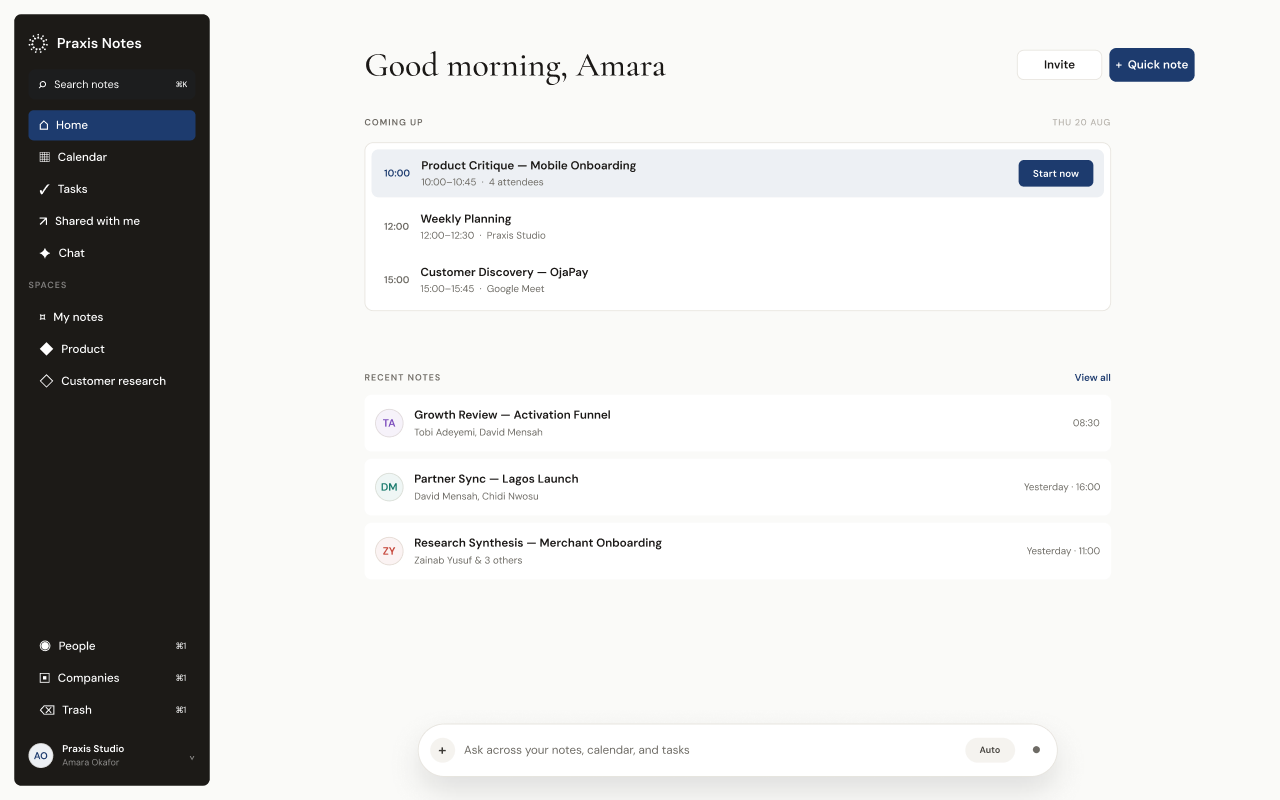
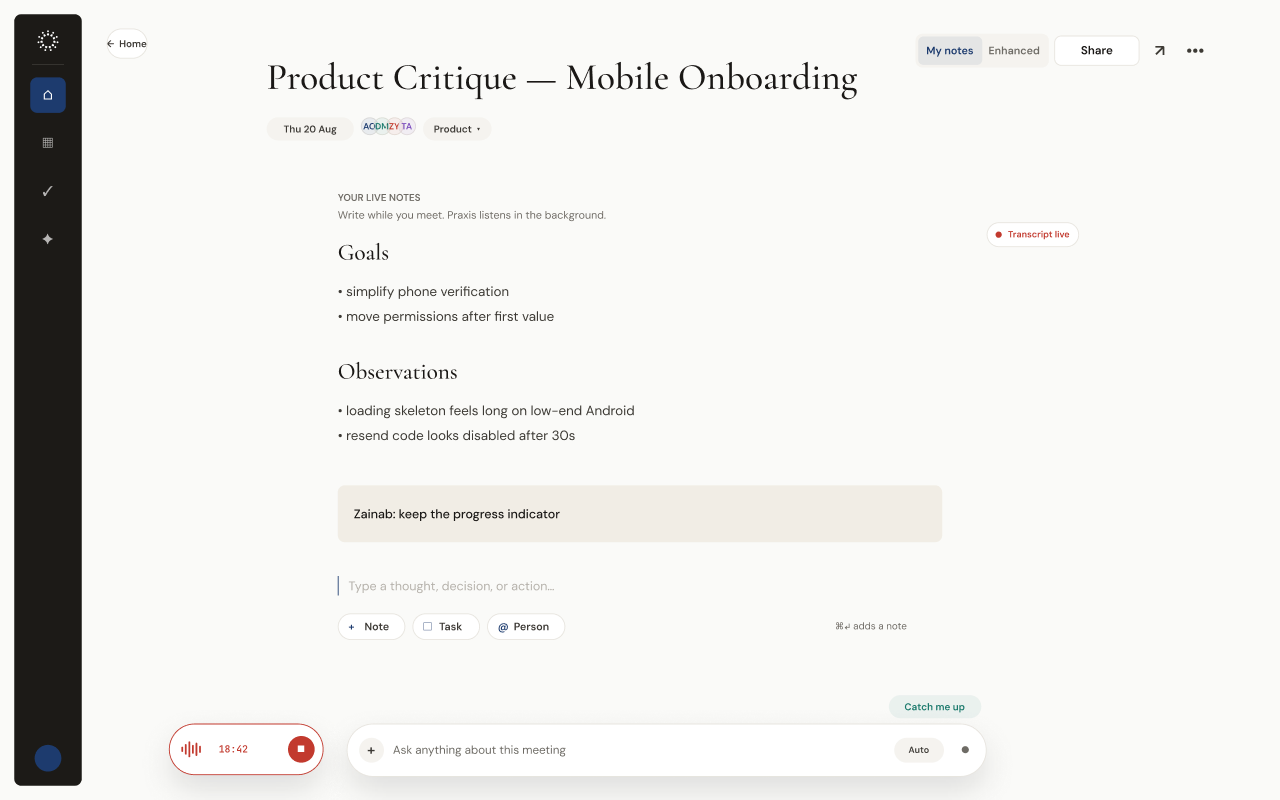
Write naturally while you meet. Praxis keeps your calendars, notes, decisions, tasks, and people connected, so every conversation is easy to return to.Write naturally while you meet. Praxis keeps calendars, notes, decisions, tasks, and people connected.
Multiple calendars · Private questions · Source-backed answers
From your next meeting
The product loop
From the calendar invite to the follow-up, every part of the work stays attached to its source.
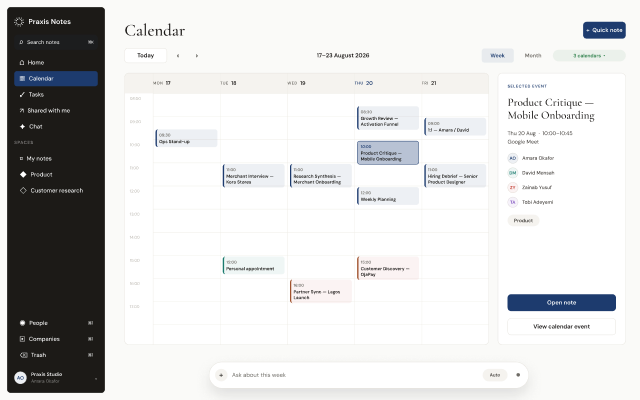
01 Calendar
See your selected Google calendars in one clear week.
02 Live note
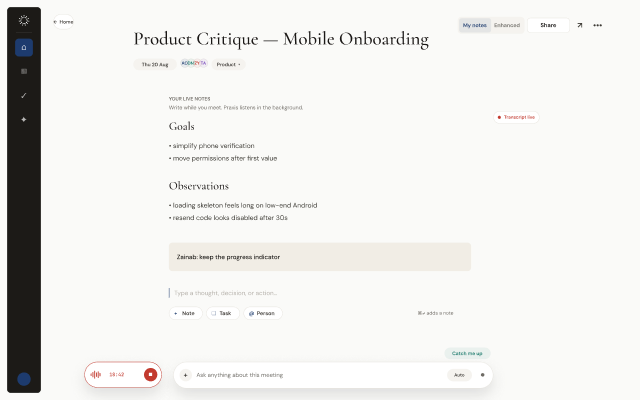
Write your thinking while Praxis listens in the background.
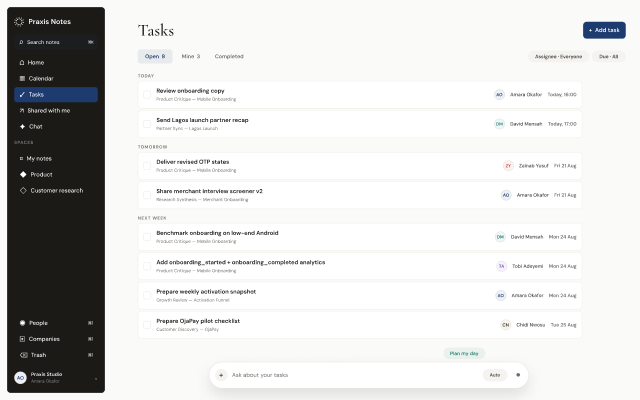
03 Tasks + people
Assign follow-ups to people you have met, with the source note attached.
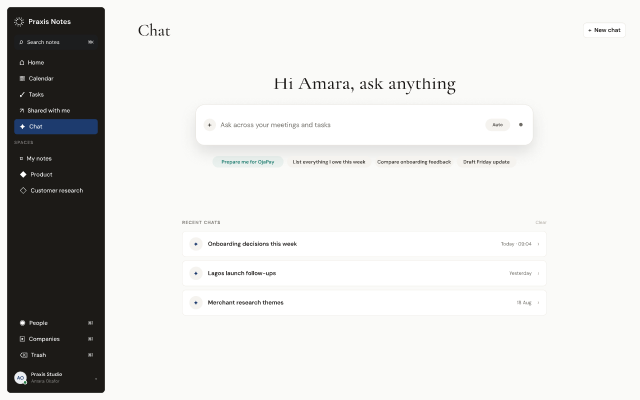
04 Ask
Ask across your workspace, a Space, or a note opened in Ask.
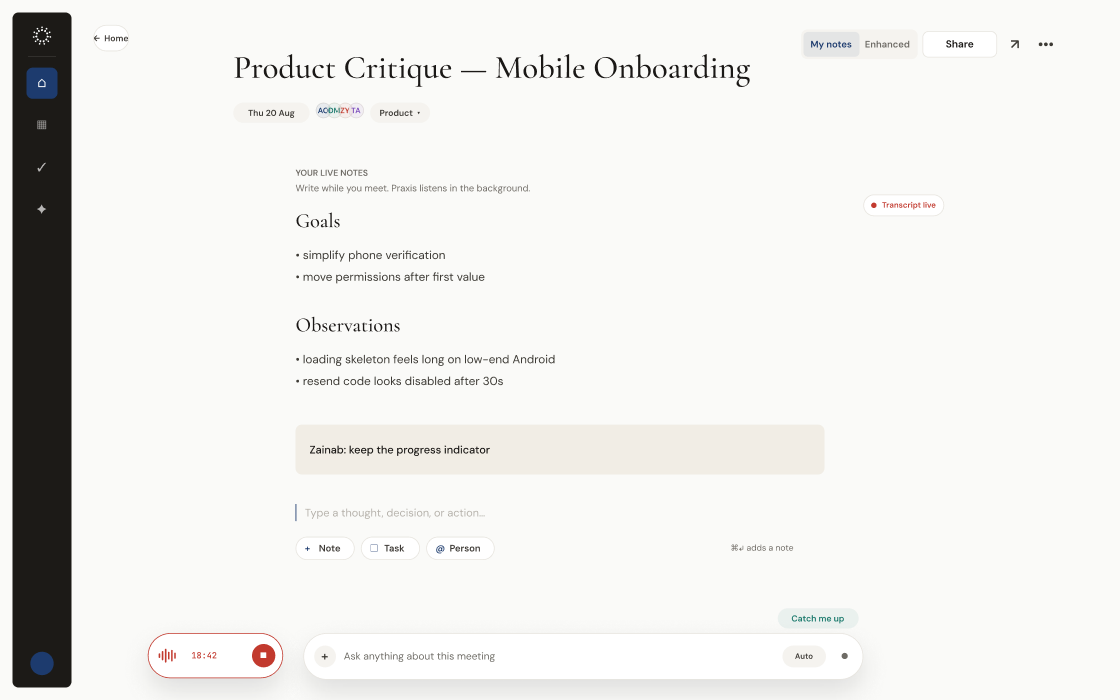
Live meeting notes
Open the meeting from your calendar and start writing immediately. Praxis listens in the background while your own words remain clearly distinct from meeting context.Open the meeting from your calendar and write immediately. Your words remain distinct from the context Praxis adds.
Add note · Add task · Reference person
Ask Praxis
Ask across your workspace, focus on a Space, or open Ask from a note. Praxis answers from the sources in that scope and shows the notes behind each answer.
What did we decide?
Source citations, not guesses
Workspace or Space scope
Open from a note to focus on that note
Connected workCalendar · Tasks · People
Calendars, owners, source notes, and working relationships remain connected without turning Praxis into a busy dashboard.Every follow-up keeps the calendar, owner, person, and source note attached.
Connect Google Calendar, choose which calendars appear, and start a note directly from an event.
Google Calendar · Choose what shows
Turn any line into a task, assign it to someone in your contacts, and keep the original meeting attached.
See who you have met, what you discussed, shared notes, and the follow-ups still open between you.
Spaces
Spaces gather notes, tasks, and people around a team, client, or project. Add a note from the meeting, move it later, or share the entire space.Gather notes, tasks, and people around a team, client, or project. Move notes later or share the entire space.

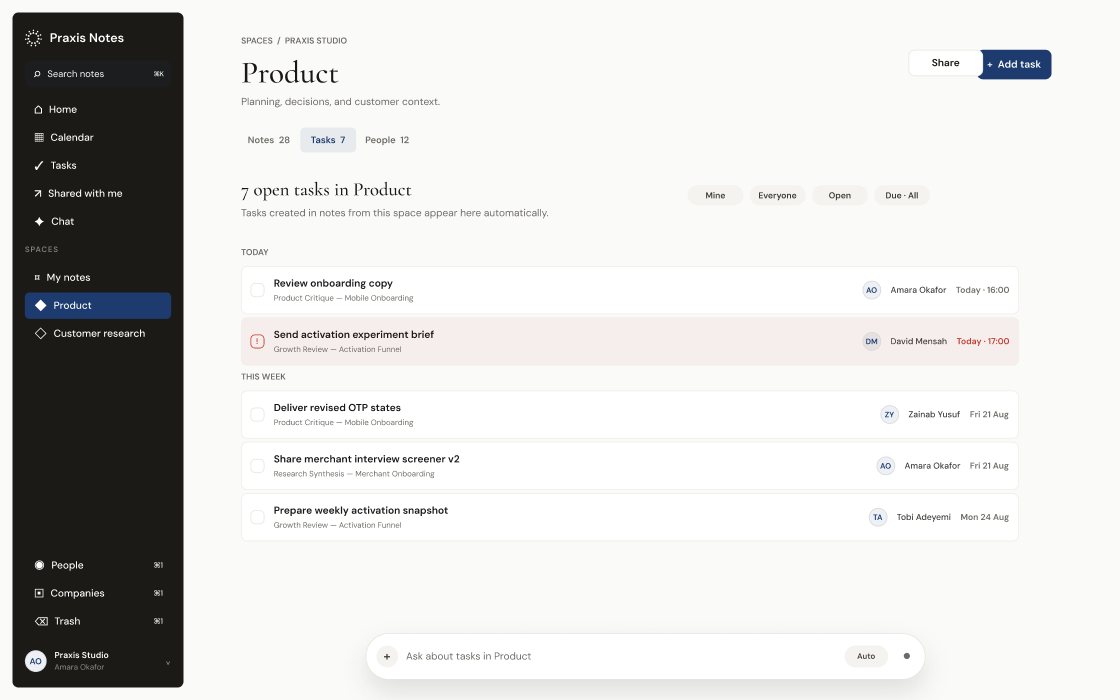
Shared with me keeps notes from other accounts visible without mixing them into your private spaces.Notes · Tasks · People · Shared with me
Note access
Give an existing workspace member view or edit access to a note. See what they inherit from a Space before adding direct access. Copying the note link never grants access on its own.Give a workspace member view or edit access. Space access stays visible, and a copied link grants no access on its own.
Can view · Can edit · Existing workspace members
Start with the next conversation.